Open ICD files in your browser (3D viewer, beta)
Open iCAD SX part and assembly files (.icd) in your browser without installing iCAD SX (beta). The B-rep solids iCAD SX saved with each part are shown assembled with the saved placements, and the 2D drawing area of the same file opens in a drawing tab and converts to DXF, PDF or JWW. Check data from Japanese equipment makers and suppliers, then convert it to STEP or DXF. Viewing is free with no signup (up to 50MB per file); saving STL or OBJ needs a free account.
Supported formatsImages: AI recognition (beta)Can't upload? Desktop edition (planned)
Can't open a ICD file? Common causes and fixes
No iCAD SX at hand (no licence, or a different CAD)
Drop the .icd on this page to view it in 3D: front, top and right views, orthographic projection and the overall size in millimetres. No need to ask the sender for a 3D Browser HTML or a STEP.
Externally referenced parts show up empty
An iCAD SX assembly can reference parts stored in other .icd files. Their geometry is not in this file, so they cannot be shown (the loss report lists the part names). Ask the sender to save the assembly into one file in iCAD SX, or to export a STEP.
The file was saved by iCAD SX V8L5 or later
The file layout of V8L5 and later has not been qualified yet; when it cannot be read, the message names the version. Re-save it in iCAD SX in the V8L4 format or try a STEP export. Failed files help us qualify newer versions.
A 2D-only .icd or a registered part (JIS parts library)
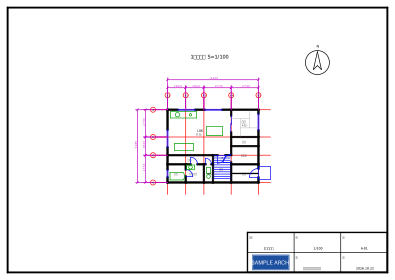
A file without 3D parts shows its 2D drawing area as it is and converts to DXF, PDF, SVG or PNG (free) or JWW, SXF or DWG (pass or Pro). Symbols, projection controls and legacy text records are skipped and counted in the loss report.
The file ends in .icd but is reported as not an iCAD SX file
IEC 61850 substation configuration files (XML) and IronCAD drawings use .icd too. iCAD SX files start with the MOD0 signature, which is checked before reading.
Ways to open a received .icd: iCAD SX, its 3D Browser export, or a browser viewer
iCAD SX, a Japanese 3D CAD for machinery and equipment design, has no free viewer. Until now a recipient needed iCAD SX itself, an HTML export the sender made with iCAD SX's 3D Browser, or a STEP or DXF export. zumen-gate opens the .icd as it is in your browser and writes STEP or STL.
| zumen-gate (this page) | iCAD SX 3D Browser (HTML) | iCAD SX | |
|---|---|---|---|
| What the recipient needs | A browser (drop the .icd) | An HTML export made by the sender | An iCAD SX licence |
| Work for the sender | None | Export from 3D Browser | None |
| What is read | The B-rep solid saved with each part, placements and part names | Whatever the sender included (measuring from V8L4) | Everything, including feature history, 2D drawings and attributes |
| Export | STL, OBJ, GLB (free), STEP (pass or Pro) | None (view only) | STEP, IGES, Parasolid, DXF/DWG |
| Best for | A quick check of an incoming .icd, a STEP to hand to your CAD | When the sender can prepare it; measuring and attributes | Editing |
What is covered for ICD
- Read (beta): iCAD SX parts and assemblies (.icd, V7L2–V8L4). The B-rep solids iCAD SX saved with each part (embedded Parasolid bodies) are read with their exact surfaces and placed as saved; part names (Japanese) and the assembly tree are shown
- 2D drawing area (beta): lines, circles, arcs, points, text (vertical writing one character at a time), dimensions (the saved lines and text) and hatches (as lines) are composed on the sheet with the saved view placements and scales, at real size from the dominant view scale; shown in a drawing tab and converted to DXF, PDF, SVG or PNG (free) or JWW, SXF or DWG (pass or Pro, with the sheet and scale as defaults). Symbols, projection controls and legacy text records are skipped and counted
- Not shown: colours (iCAD SX palette indices are not mapped), externally referenced parts (their geometry lives in other .icd files) and parts with only F.C. (CSG) history and no saved body. V8L5 and later are unqualified (what can be read is shown); V7L5 and earlier carry 2D only
- Export (beta): STL, OBJ and GLB are free (up to 10MB); STEP (AP203 / AP214 / AP242) needs a pass or Pro and writes the saved B-rep as an assembly with part names, so SOLIDWORKS, Inventor or Fusion can edit the faces (unlike the triangular faces from SOLIDWORKS files). Viewing is free up to 50MB
Export it while you're here
A displayed ICD file exports its 3D model straight to STL, OBJ or GLB (free, up to 10MB; STL and OBJ with a free account) or STEP (download with a 24-hour pass or Pro), and the 2D drawing area of the same file to DXF, PDF, SVG or PNG (free, download with a free account) or JWW, SXF or DWG (pass or Pro) — pick the output above the convert button (beta). Other 3D formats are on the 3D viewer page.
ICD viewer — frequently asked questions
Which iCAD SX versions are supported?
Parts and assemblies saved by iCAD SX V7L2 through V8L4 (beta). V8L5 and later are not qualified yet, so only what can be read is shown. V7L5 and earlier carry 2D drawings only, without readable 3D geometry.
Is the shape exact? Are colours shown?
The solids iCAD SX saved with each part (embedded Parasolid bodies) are read as exact B-rep and tessellated only for display. Colours are stored as iCAD SX palette indices that are not mapped yet, so the default colour is used. The overall size (width × depth × height in millimetres) is in the status line; point-to-point measurement and sections are planned.
What does the STEP export contain?
The saved B-rep written as an assembly with part names (AP203 / AP214 / AP242; beta, 24-hour pass or Pro). The faces are the original planes and cylinders, not triangles, so SOLIDWORKS, Inventor, Fusion and FreeCAD can edit them. Colours and externally referenced parts are not included. STL, OBJ and GLB exports are free (up to 10MB; STL and OBJ with a free account).
Can I see the 2D drawing area? Can it become a DXF?
Yes (beta). The 2D views stored in the same .icd are composed on the sheet with their saved placements and scales and shown in a drawing tab (lines, circles, arcs, points, text, dimensions, hatches; real size from the dominant view scale). Pick DXF, PDF, SVG or PNG (free, download with a free account) or JWW, SXF or DWG (24-hour pass or Pro) as the output to convert it. Symbols, projection controls and legacy text records are not supported and are counted in the loss report.