Convert JWC to PDF Structuralβ
Free to view, no signup. Drop a file to preview the Jw_cad DOS版 (JWC) in your browser; downloading the PDF needs a free account (just an email address, about a minute).
- 01Drop your drawing file
- 02Pick a format & convert
- 03Preview & download
Supported formatsImages: AI recognition (beta)Can't upload? Desktop edition (planned)
When you need this
- Share a JWC drawing with someone who has no CAD software
- Print a JWC drawing without opening it in CAD
- Archive or submit drawings as PDF
About converting JWC to PDF
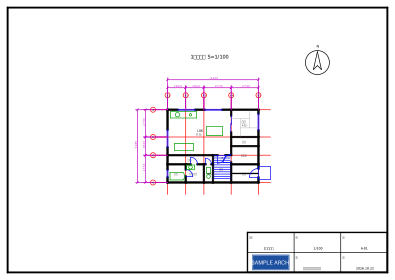
JWC is the drawing format of the DOS-era Jw_cad (JW_CAD), the predecessor of the Windows Jw_cad still popular in Japan. Many Japanese architectural drawings from the 1990s survive only as .jwc files, and virtually no current CAD software opens them. zumen-gate reads JWC in beta (lines, circles, arcs, ellipses, text, points).
PDF is the easiest way to share, print, or archive a drawing for people who don't use CAD at all.
All conversions run through a single engine with a common intermediate representation. Every conversion produces a loss report tallying which entities were converted as-is and which were approximated or dropped — so you can trust the output, or know exactly why not.
JWC → PDF converter — frequently asked questions
Will lines stay sharp when I print the PDF?
Yes — the PDF is generated as vector output, so lines stay crisp at any print size or zoom level. Check line weights and text placement in the preview and the loss report.
Will my drawing break when converting JWC to PDF?
The conversion is a deterministic, structural translation through a common intermediate representation. The loss report lists exactly which entities were converted, approximated, or dropped, so you can verify the result on the spot.
Is there a limit on conversions or downloads?
Viewing and the loss report need no account and are unlimited. Downloading needs a free account (just an email address) and is limited to 5 files per 24 hours (converting the same file again does not count); a 24-hour pass or Pro removes the file limit. Files can be up to 10MB (100MB with a pass or Pro).
What happens to the files I upload?
Transfers and storage are encrypted, and your drawings are never sold or shared with third parties. On the free tier, uploads are used to improve the service and train our AI models, so please avoid uploading confidential drawings (a no-training Pro plan is available). See the data policy page for details.